
Every ecommerce founder has felt this at some point. You send a campaign. The open rate looks terrible. When you check, half your list never even got a chance to open it. The email went straight to spam.
If you have ever searched “why your emails go to spam,” you already know it is not a one-time glitch. It is usually a pattern building up quietly in the background. By the time you notice it, you have already lost sales, abandoned cart recoveries, and customer trust.
The good part is that spam placement is rarely random. Gmail, Outlook, and Yahoo use scoring systems. These systems look at your domain history, your authentication setup, and how people actually treat your emails. Once you understand what they check, you can fix it. Shopify and WooCommerce stores also have a few specific blind spots that make this problem worse than it needs to be.
Quick Answer: Why Do Emails Go to Spam?
Emails go to spam mainly because of four things. These are missing or broken email authentication (SPF, DKIM, DMARC), poor sender reputation from inconsistent sending, low subscriber engagement, and content or list quality issues. Mailbox providers combine all of these signals into a trust score. If that score is too low, your email never reaches the inbox, no matter how good the subject line is.
What Does It Mean When an Email Goes to Spam?
An email “going to spam” means the receiving mailbox provider decided your message did not meet the trust threshold for inbox placement. This is not a manual decision. It is an automated judgment made in milliseconds, based on your domain’s sending history, your technical setup, and how previous recipients interacted with your emails.
This matters a lot for ecommerce brands. A single spam-folder campaign does not just cost you that one send. It quietly lowers your domain reputation, which makes every future email, including order confirmations and shipping updates, harder to deliver.
Why Your Emails Go to Spam in 2026
Here are the real reasons behind most spam folder problems this year, ranked by how often they actually show up in ecommerce accounts.
1. Missing or Incomplete Email Authentication (SPF, DKIM, DMARC)
SPF, DKIM, and DMARC records confirm to mailbox providers that an email claiming to come from your domain is actually authorized to do so. Without them, Gmail and Yahoo cannot confirm your identity, and they push unverified senders toward spam by default.
This became a much bigger deal after Google and Yahoo tightened their bulk sender requirements. If you send more than 5,000 emails a day to Gmail addresses without DMARC in place, expect serious deliverability problems.
Shopify example: A Shopify store using multiple apps (email marketing, reviews, loyalty, SMS) often has several tools sending email from the same domain. If even one app lacks proper authentication, it can drag down the reputation of the whole domain, including your main marketing sends.
2. Inconsistent Sending Behavior
Mailbox providers reward predictability. Send nothing for six weeks, then blast 40,000 emails for a flash sale, and that spike looks exactly like spammy behavior to a filter, even if your list is 100% opted in.
This is one of the most common issues for seasonal ecommerce brands. A store that only emails during Black Friday, festive sales, or product launches trains mailbox providers to treat every big campaign with suspicion.
Best Practice: Send something every week, even if it is small. Order tips, restock alerts, a customer story, or a short newsletter all count. Consistency builds trust, not volume.
3. Emailing Inactive or Unengaged Subscribers
If a large chunk of your list has not opened or clicked anything in 90 to 180 days, mailbox providers start treating your sends to that segment as unwanted. This drags down your engagement rate across the whole campaign, not just for those contacts.
WooCommerce example: A WooCommerce store that imported a customer list from an old system, without ever cleaning it, often carries hundreds of dead addresses. Sending your full campaign to that same list every time quietly damages your sender reputation with every send.
Turn more visitors into paying customers, automatically
Set up abandoned cart recovery, welcome flows, and post-purchase emails in minutes, built specifically for Shopify and WooCommerce stores.
4. High Spam Complaint Rates
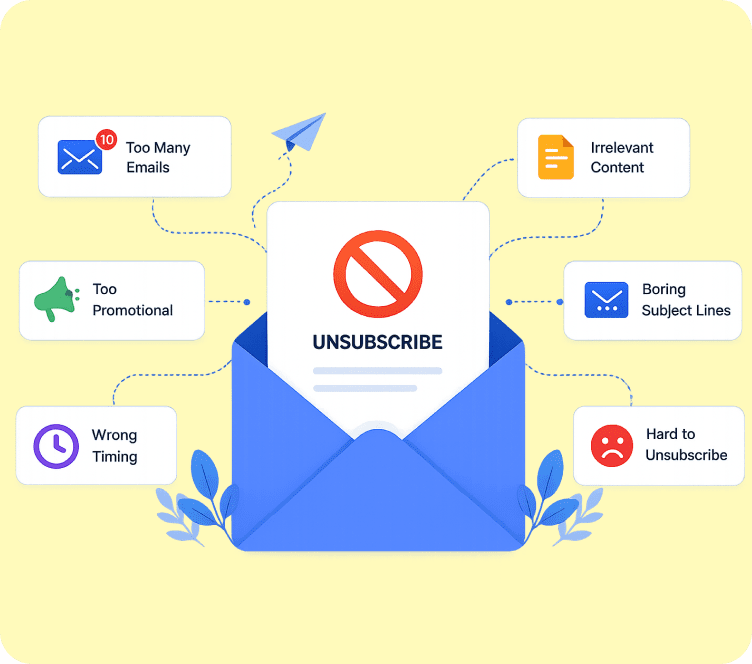
Every time someone clicks “report spam” instead of unsubscribing, it counts against your domain. Google considers a complaint rate above 0.3% a red flag, and repeated complaints can get your domain flagged industry-wide.
Common causes include unclear opt-ins, buying or renting email lists, and misleading subject lines that do not match the actual email content.
Best Practice: Make the unsubscribe link obvious and one click. A subscriber who unsubscribes cleanly protects your reputation far better than one who marks you as spam out of frustration.
5. Content and Formatting Issues
Spam filters still check content, just more intelligently than before. Heavy use of images with almost no text, broken HTML, excessive links, or spammy phrases like “act now” and “100% free” can all raise your spam score, even from a trusted sender.
Best Practice: Aim for a healthy text-to-image ratio, keep your HTML clean, and avoid stuffing your subject line with promotional language.
6. Fake Domain Warm-Up Tricks
Some brands try to shortcut deliverability using automated warm-up tools that simulate opens and clicks. Mailbox providers got much better at spotting artificial engagement patterns over the last two years. Relying on this instead of fixing real sending habits usually backfires.
The real fix is slower but permanent. Focus on genuine engagement, real list hygiene, and steady sending volume.
7. Being Listed on a Blocklist
If your domain or sending IP lands on a spam blocklist, filters can block even properly authenticated and well-written emails outright. This usually happens after a spike in complaints, a compromised account, or a send to a purchased list.
Check your domain periodically with a blocklist lookup tool. If a blocklist has flagged you, fix the root cause first, then request removal.
Turn more visitors into paying customers, automatically
Set up abandoned cart recovery, welcome flows, and post-purchase emails in minutes, built specifically for Shopify and WooCommerce stores.
How Spam Filters Actually Work in 2026
Modern spam filters do not look at just one thing. They combine multiple signals into a single trust score for every email you send.
| Signal | What It Measures | Why It Matters for Ecommerce |
|---|---|---|
| Authentication | SPF, DKIM, DMARC alignment | Confirms the email really comes from your domain, not a spoofed sender |
| Sender Reputation | Domain and IP history | Builds over months, and a single bad campaign can damage it |
| Engagement | Opens, clicks, replies | Abandoned cart and post-purchase emails usually score highest here |
| Complaint Rate | Spam reports vs. total sends | Should stay well under 0.3% for Gmail and Yahoo |
| Content Quality | Text-to-image ratio, links, HTML | Flags “salesy” or broken formatting |
| List Hygiene | Bounce rate, inactive contacts | Old imported lists are a common culprit |
| Sending Consistency | Volume patterns over time | Sudden spikes look like spam campaigns |
If your score crosses the mailbox provider’s threshold, the filter sends your email to spam. In worse cases, it blocks the email before it even reaches the folder.
Why Shopify Stores Specifically Land in Spam
Shopify makes it incredibly easy to install five different apps that all send email: your email marketing tool, review requests, loyalty program, back-in-stock alerts, and shipping notifications. When these apps skip proper authentication under one domain setup, mailbox providers see a messy sending pattern and lower trust across the board.
Another common Shopify issue is sending abandoned cart emails and flash sale campaigns from the same domain without segmenting engaged versus unengaged customers. A high-volume flash sale blast to your entire customer list, including people who bought once two years ago, is a fast way to trigger spam filters.
Many Shopify merchants end up paying for a separate deliverability or authentication add-on just to handle this. Adflipr builds that infrastructure in from the start, so Shopify stores do not need to buy an extra service just to get proper inbox placement.
Why WooCommerce Stores Specifically Land in Spam
WooCommerce stores often run into deliverability trouble because of how they handle transactional email by default. Many WooCommerce sites still rely on the server’s default PHP mail function instead of a dedicated SMTP or email service provider. This setup almost guarantees inconsistent authentication and poor sender reputation.
Plugin conflicts add to the problem. When your marketing plugin and your transactional email plugin use mismatched SPF and DKIM records, mailbox providers see two different sending patterns from one domain, and that looks suspicious.
Best Practice for WooCommerce: Most WooCommerce stores end up buying a separate SMTP plugin just to fix this, then still have to configure SPF and DKIM manually on top of it. Adflipr skips that extra step. It builds authentication and sending infrastructure in from day one, so WooCommerce stores never need to buy or set up a separate SMTP service to get proper deliverability.
How to Prevent Emails From Going to Spam
Here is the step-by-step process that actually moves the needle:
- Set up SPF, DKIM, and DMARC for your sending domain and verify them with a DNS lookup tool.
- Warm up new domains gradually. Start with your most engaged customers before sending to your full list.
- Segment before you send. Split your list into engaged, occasional, and inactive groups, and treat each one differently.
- Clean your list every 60 to 90 days. Suppress or re-engage contacts who have not opened anything in that window.
- Keep a consistent sending calendar. Weekly cadence beats sporadic large blasts.
- Monitor your complaint rate. Keep it under 0.3% and investigate any spike right away.
- Review content before sending. Balance text and images, avoid spammy language, and test your links.
- Check blocklists monthly. Catch problems before they snowball.
Best Practices for Long-Term Inbox Placement
- Treat deliverability as an ongoing habit, not a one-time setup task.
- Prioritize your abandoned cart and post-purchase flows. These usually get the highest engagement and help your overall sender score.
- Give new subscribers a clear, honest expectation of what they will receive and how often.
- Use double opt-in for anyone joining through popups or forms, especially if you run frequent giveaways.
- Review your sender reputation with tools like Google Postmaster Tools if you send meaningful volume to Gmail addresses.
- Run a full email marketing audit every quarter to catch small issues before they become deliverability problems.
Common Mistakes to Avoid
- Buying or renting email lists, even “verified” ones.
- Sending every campaign to your entire list instead of segmenting by engagement.
- Ignoring bounce and complaint reports just because the campaign still went out.
- Using multiple apps that all send email without checking their authentication setup.
- Assuming one missed authentication record does not matter, when it affects trust for your whole domain.
- Chasing quick fixes like warm-up tools instead of fixing your actual sending habits.
If you want a longer list of what trips up most stores, this breakdown of common email marketing mistakes covers the campaign-side errors that often go hand in hand with deliverability problems.
How Adflipr Solves This Without Extra Tools or Extra Cost
Most Shopify and WooCommerce stores patch their deliverability problems with extra purchases. WooCommerce stores typically buy a separate SMTP plugin, then still have to configure SPF and DKIM manually on top of it. Shopify stores often pay for a separate deliverability or authentication add-on just to keep their sending infrastructure in order.
Adflipr removes that extra layer. It builds authentication and sending infrastructure in from the start, so there is no separate SMTP plugin to buy for WooCommerce and no extra deliverability service to add for Shopify.
Adflipr also includes the pieces that fix the root causes covered in this article:
- Built-in authentication support, so you never have to configure SPF, DKIM, and DMARC on your own or rely on a hosting provider’s default mail setup.
- Engagement-based segmentation, so campaigns reach your most active contacts first instead of blasting your entire list every time.
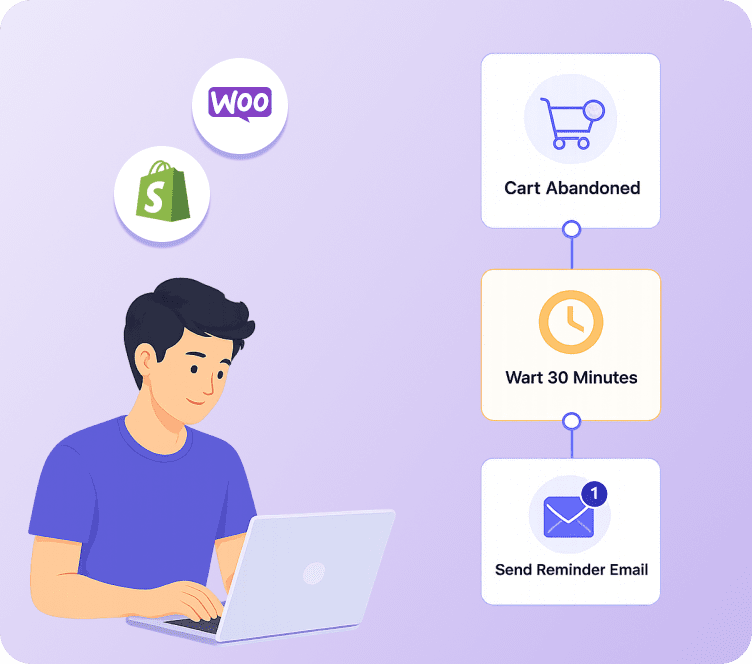
- Abandoned cart recovery and post-purchase automation, usually your highest-engagement emails, which help protect your overall sender reputation.
The result is one platform that handles deliverability, segmentation, and automation together, instead of you stitching together an SMTP plugin, a separate email tool, and a manual list-cleaning process.
Turn more visitors into paying customers, automatically
Set up abandoned cart recovery, welcome flows, and post-purchase emails in minutes, built specifically for Shopify and WooCommerce stores.
Real Example: Fixing Deliverability Recovers Lost Revenue
A mid-sized Shopify apparel brand watched their open rates drop from 28% to 9% over three months. An audit found the cause fast: they had never set up a DMARC record, and they had never cleaned a list that tripled in size after a giveaway campaign.
The fix took five weeks. The team set up proper authentication, suppressed contacts inactive for over 120 days, and switched from monthly blasts to a weekly sending cadence. Inbox placement recovered fully, and abandoned cart recovery revenue alone increased by 34%, simply because those emails finally reached the inbox instead of getting buried in spam.
This is exactly the kind of problem the section above walks through, and it shows up far more often than most store owners expect until they check their own numbers.
FAQs
Why do my emails go to spam even though people opted in?
Opt-in alone does not guarantee inbox placement. Mailbox providers also check authentication, engagement, and sending consistency. Even a fully opted-in list can trigger spam filters if you send inconsistently, email inactive contacts too often, or skip proper SPF, DKIM, and DMARC setup.
How does DMARC help prevent emails from going to spam?
DMARC tells mailbox providers what to do with emails that fail SPF or DKIM checks, and it confirms your domain’s legitimacy. Setting up DMARC significantly reduces the chance of spoofing and improves trust, which directly improves inbox placement over time.
Is email deliverability different for Shopify stores compared to other websites?
Yes. Shopify stores often run multiple apps that send email from the same domain, which can create authentication conflicts. Shopify stores also tend to run frequent flash sales, which can look like sudden sending spikes if you do not segment properly first.
Why do WooCommerce emails go to spam more often than Shopify emails?
WooCommerce relies on your hosting server’s mail function by default, which usually lacks proper authentication. Without a dedicated SMTP connection or an email platform handling this correctly, WooCommerce stores run into deliverability issues more often.
How long does it take to fix email deliverability problems?
Technical fixes like authentication can take effect within a day or two. Rebuilding sender reputation after a period of poor deliverability usually takes several weeks of consistent, engaged sending before inbox placement fully recovers.
What is a safe spam complaint rate for ecommerce emails?
Keep your complaint rate below 0.3%, the threshold Google and Yahoo use for bulk senders. Anything above that consistently puts your domain at risk of being throttled or blocked by major mailbox providers.
Does cleaning my email list actually improve deliverability?
Yes, significantly. Removing contacts who have not engaged in 90 to 180 days reduces your bounce rate and improves your overall engagement percentage, both of which mailbox providers weigh heavily when deciding inbox placement.