
Here’s the frustrating part about email marketing. You’re doing it. You have a list, you send campaigns, you even have a welcome email set up. And yet somehow, it still doesn’t feel like it’s pulling its weight.
Nine times out of ten, it’s not one big failure. It’s a handful of small email marketing mistakes stacking up quietly in the background. None of them look dramatic on their own. Together, they’re probably costing you real sales every single month.
Let’s fix that. Below are the 11 mistakes that actually matter for a Shopify or WooCommerce store, how to spot each one in your own account, and exactly what to do about it.
What Counts as an Email Marketing Mistake?
Simply put, it’s anything in your setup, targeting, timing, or content that stops an email from getting opened, read, and acted on.
Some mistakes are loud. A broken checkout link. A typo in the subject line. Someone tells you about those fast.
The dangerous ones are silent:
- Your open rate looks healthy, but a chunk of it is Apple pre-opening emails automatically, not real people reading them
- Your abandoned cart flow is technically “on,” but nobody checked if it links back to the actual cart
- Your list looks big, but half of it hasn’t opened anything in eight months
Nothing looks broken from the outside. It just quietly underperforms, month after month, until you actually go looking.
11 Email Marketing Mistakes Ecommerce Stores Actually Make
1. Sending One Email to Your Entire List
Still the most common mistake out there, and it cuts both ways. It’s consistently one of the most common email marketing mistakes we see across both new and established stores. If you’re still growing your list, it’s worth pairing this fix with a solid approach to building an email list in the first place, since segmentation only works as well as the data you’re collecting at signup.
Signs you’re doing this:
- Every campaign goes to “all subscribers” with no filtering
- New subscribers and five-time customers get the exact same message
- You’ve built so many detailed segments that almost nobody qualifies for a send
What it costs you:
- Loyal customers feel ignored or spammed with offers they don’t need
- New subscribers miss a proper introduction to your brand
- Oversegmented lists mean most people never hear from you at all
Shopify example: A supplement brand blasts a “restock alert” to its whole list, including customers already on a standing subscription for that exact product.
How to fix it:
- Start with three or four broad segments: new subscribers, one-time buyers, repeat customers, lapsed customers
- Build narrower segments only after these basics are working
- Use real order and browsing data to keep segments accurate
Adflipr’s contact segmentation for Shopify and WooCommerce groups people automatically based on real order history, so you’re not stitching this together by hand.
2. No Abandoned Cart or Post-Purchase Automation

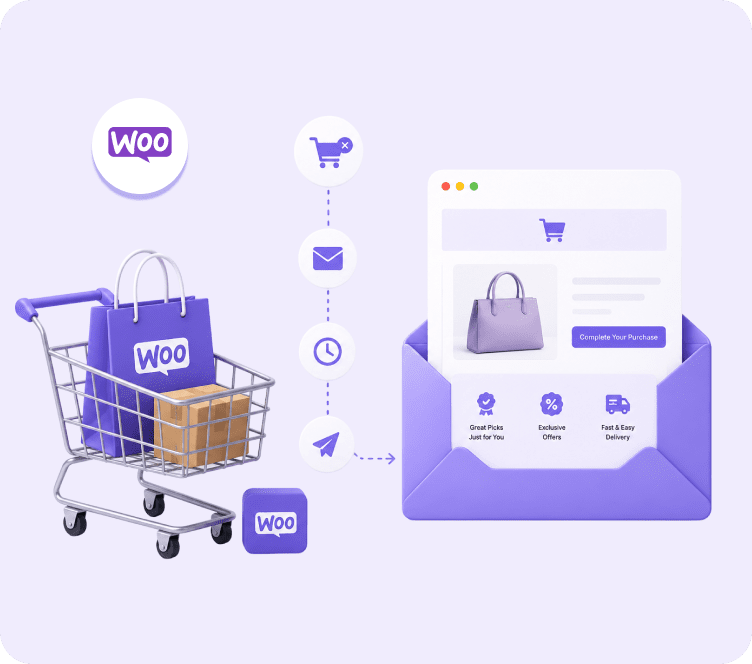
Around 70% of online carts get abandoned. If nothing happens after that, you’re leaving a huge chunk of near-sales on the table.
Signs you’re doing this:
- No email fires when someone adds a product and leaves
- Your only “recovery” method is retargeting ads
- Post-purchase customers get zero follow-up until the next sale email
What it costs you:
- Warm, ready-to-buy visitors disappear with nothing pulling them back
- You pay for traffic that never converts a second time
- Repeat purchase rate stays lower than it should be
WooCommerce example: A furniture store runs solid paid traffic, but nobody follows up when a shopper adds a sofa to their cart and disappears. That paid-for visit just evaporates.
How to fix it:
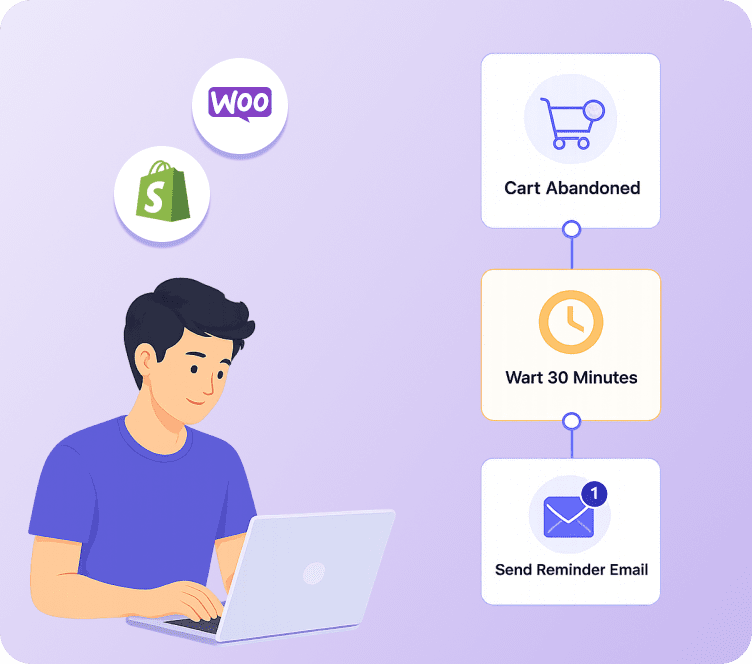
- Set up a simple three-email sequence: reminder within an hour, helpful nudge the next day, small incentive on day two or three
- Make sure post-purchase flows exist too, not just cart recovery
- Check that the email actually links back to the cart, not your homepage
Adflipr’s abandoned cart recovery runs this automatically for both Shopify and WooCommerce.
Turn more visitors into paying customers, automatically
Set up abandoned cart recovery, welcome flows, and post-purchase emails in minutes, built specifically for Shopify and WooCommerce stores.
3. Emails That Don’t Work on Mobile

More than half of all emails get opened on a phone. If it looks broken there, people don’t zoom in and try harder. They leave.
Signs you’re doing this:
- Buttons overlap or get cut off on smaller screens
- Text is too small to read without pinching to zoom
- You only ever preview on desktop
What it costs you:
- Lower click rates even when your subject line and offer are strong
- A clunky first impression that quietly damages trust in your brand
How to fix it:
- Use single-column layouts
- Make buttons big enough to tap easily
- Keep paragraphs short
- Preview every email on mobile before you hit send, not after someone complains
4. Subject Lines That Don’t Say Anything

A subject line has one job: get the email opened. Vague or overly salesy lines both fail at that job.
Signs you’re doing this:
- Subject lines like “Big news!” or “Don’t miss out!!”
- Heavy use of all caps or multiple exclamation marks
- No real indication of what’s actually inside the email
What it costs you:
- Lower open rates, even for genuinely good content
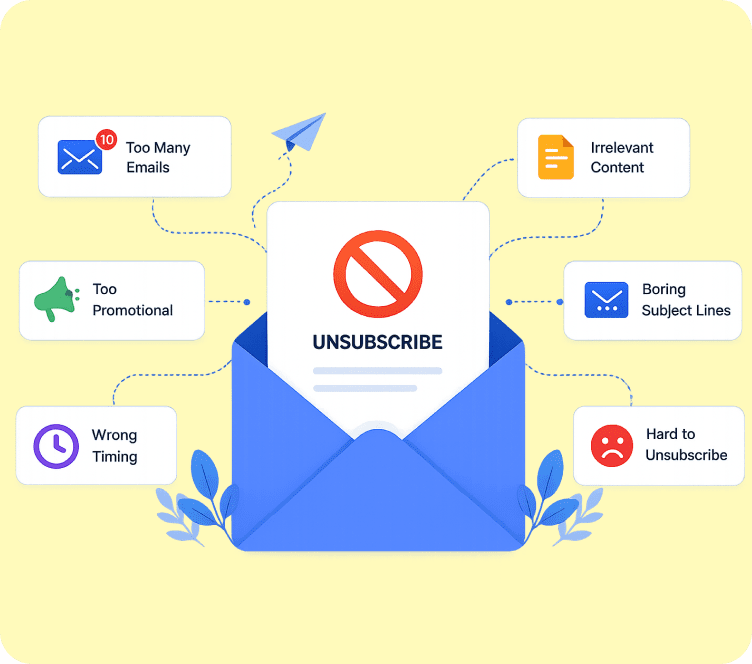
- Subscribers start ignoring your emails on sight
How to fix it:
- Be specific about what’s inside: “Your cart is still here, plus free shipping today”
- Test a few variations and let the data decide
- Keep it honest. If the subject line overpromises, the unsubscribe click comes fast
5. Too Many Things Happening in One Email

An email trying to announce a sale, launch a product, and ask for a review all at once usually accomplishes none of them.
Signs you’re doing this:
- Multiple CTAs competing for attention in one send
- Readers aren’t sure what you actually want them to do
- Click rates are low even though open rates look fine
What it costs you:
- Confused readers who click nothing at all
- Diluted results across every goal you tried to hit at once
How to fix it:
- One email, one goal, one main call to action
- Save secondary messages for the next send
- If you have three things to say, that’s three emails, not one crowded one
6. Skipping Deliverability Checks and Pre-Send Audits
This one rarely gets talked about outside technical email circles, but it affects every single email you send. It covers two things: whether your domain is set up correctly, and whether anyone actually checked the email itself before it went out. Both fall under email deliverability, and it’s usually the first thing worth ruling out when a campaign underperforms for no clear reason.
Signs you’re doing this:
- You’ve never checked SPF, DKIM, or DMARC settings for your domain
- You’re sending from a shared domain with no dedicated setup
- Open rates dropped suddenly with no obvious content change
- Campaigns go out with no one reviewing the template, links, or spam-trigger words beforehand
What it costs you:
- Emails landing in spam even when the content and design are great
- Wasted effort on campaigns that never actually reach the inbox
- Broken links or formatting issues that only get noticed after customers complain
How to fix it:
- Set up proper domain authentication once
- Check your sender reputation periodically
- Rule out deliverability before blaming a subject line or offer for poor performance
- Audit the email template itself before every send, check every link, look for anything that reads as spammy, and confirm merge tags are pulling the right data
This is exactly why an email audit matters as much as the strategy behind it. A well-planned campaign with a broken link or an unauthenticated domain still fails. Adflipr’s Premium plan includes email template auditing built directly into the platform, so you can catch these issues before a campaign goes out instead of after customers start replying with complaints.
Turn more visitors into paying customers, automatically
Set up abandoned cart recovery, welcome flows, and post-purchase emails in minutes, built specifically for Shopify and WooCommerce stores.
7. Treating Every Send as a One-Off Campaign
If your welcome emails, cart recovery, and win-back messages are all sent manually whenever someone remembers, that’s not a strategy. That’s a to-do list waiting to get skipped.
Signs you’re doing this:
- Welcome emails go out late, or not at all, for some subscribers
- Nothing happens automatically after a purchase or an abandoned cart
- Your “email strategy” lives entirely in someone’s calendar reminders
What it costs you:
- Missed windows when a customer is most likely to buy
- Inconsistent experience across your subscriber base
How to fix it:
- Move predictable, recurring messages into automated flows
- Save manual campaigns for real announcements and launches
- Build the flow once, based on real customer behavior, and let it run
Adflipr’s marketing automation lets you set these flows up around actual triggers like purchases, cart activity, and browsing, so they don’t rely on someone remembering to hit send.
8. Not Cleaning Your List, and Trusting Inflated Open Rates

Two mistakes that usually show up together.
Signs you’re doing this:
- A big chunk of your list hasn’t opened anything in six months or more
- You’re judging campaign success mostly by open rate
- Your open rate looks great, but clicks and sales don’t match
What it costs you:
- Lower deliverability for everyone else on your list because of the disengaged portion
- Decisions based on data that isn’t actually accurate
How to fix it:
- Remove or re-engage subscribers with no activity in 90 to 180 days
- Weight clicks and conversions more heavily than opens
- Remember that Apple’s Mail Privacy Protection auto-opens a large share of emails on iPhone, whether or not a person actually read them
9. Getting Send Frequency Wrong
Too often burns your list out. Too rarely, and people forget why they subscribed.
Signs you’re doing this:
- Unsubscribe rates spike after certain campaigns
- Engagement quietly drops over a few months with no clear cause
- You’re sending on a random schedule instead of a consistent one
What it costs you:
- A shrinking, increasingly disengaged list
- Subscribers who stop recognizing your brand in their inbox
How to fix it:
- Start with a steady 2 to 4 sends a week for an active ecommerce brand
- Adjust based on actual engagement data, not guesswork
- Watch unsubscribe trends closely after any change in frequency
10. Abandoned Cart Emails That Don’t Link Back to the Cart

A small setup detail that quietly kills conversions.
Signs you’re doing this:
- The automation is running, but the CTA sends people to your homepage
- Customers have to search again for the product they already picked
- Click rates on cart recovery emails are lower than expected
What it costs you:
- That one extra step is often enough for someone to just give up
- Recovered clicks that never actually convert back into a completed cart
How to fix it:
- Confirm every automated email links directly to the cart, product, or page relevant to that customer’s action
- Test the actual link yourself instead of assuming it’s set up correctly
11. Never Reviewing What’s Actually Working

Plenty of stores check performance once when something new launches, then never look again.
Signs you’re doing this:
- You haven’t looked at flow performance in months
- You don’t know your current cart recovery rate off the top of your head
- The same issues keep coming back without anyone noticing the pattern
What it costs you:
- Slow, invisible decline in flows that used to perform well
- Repeating the same mistakes without realizing it
How to fix it:
- Review automation and campaign performance monthly
- Look specifically at where people drop off inside a flow
- Fix that one weak step instead of rebuilding the whole sequence
Adflipr’s analytics and reporting shows exactly where a flow loses people, so you know what to fix instead of guessing.
Turn more visitors into paying customers, automatically
Set up abandoned cart recovery, welcome flows, and post-purchase emails in minutes, built specifically for Shopify and WooCommerce stores.
Why Email Auditing Deserves Its Own Step in Your Workflow
Most of the mistakes above happen inside the strategy: the wrong segment, the wrong timing, the wrong offer. An email audit catches something different. It catches the small technical slip that undoes all of that strategy right before the email goes out.
An email audit is simply a quick check of the email itself before you hit send. Not the idea behind the campaign, the actual file.
What a proper audit checks:
- Every link in the email, to confirm it goes where it’s supposed to
- Merge tags, to confirm they’re pulling the right name, product, or cart data instead of showing a blank or broken placeholder
- Spam-trigger words or formatting that could hurt deliverability
- How the email renders on both desktop and mobile
- Whether the unsubscribe link and sender information are present and compliant
Why it matters more than it sounds: A campaign can have a perfect subject line, a well-segmented audience, and a strong offer, and still fail because one link points to the wrong product or a merge tag shows “Hello {first_name}” instead of an actual name. That single detail is often enough to make an otherwise well-planned email feel broken or untrustworthy to the person reading it.
Shopify example: A skincare brand runs a flash sale email to 10,000 subscribers. The main CTA button links to last month’s collection instead of the new one. Nobody catches it before sending. The email performs, people click, but the sale barely moves because everyone lands on the wrong page.
WooCommerce example: A pet supply store sets up a personalized post-purchase email using merge tags for the product name. One product category wasn’t mapped correctly, so a chunk of customers get an email that says “Thanks for buying your {product_name}” instead of the actual item.
Neither of these is a strategy problem. Both are audit problems, and both are avoidable with one quick check before sending.
This is exactly why treating an email audit as a regular part of your workflow, not a one-time setup task, matters. Adflipr’s Premium plan includes email template auditing built directly into the platform, so this check happens as part of sending a campaign instead of relying on someone remembering to do it manually.
Shopify vs WooCommerce: Where the Same Mistakes Show Up Differently
Shopify email marketing tends to lean too heavily on Shopify’s default checkout and order emails, and never builds a proper welcome series or post-purchase flow on top of them.
WooCommerce email marketing often runs into trouble because the email tool isn’t fully synced with WordPress and WooCommerce order data, which breaks automation triggers and makes real segmentation harder to pull off.
The fix is the same either way: connect your store data (orders, products, browsing behavior) directly into your email platform, so triggers and segments reflect what customers are actually doing. Adflipr integrates natively with both Shopify and WooCommerce for exactly this reason.
Manual Campaigns vs Automated Flows
| Manual Campaigns | Automated Flows | |
|---|---|---|
| Trigger | Sent by a person, whenever they remember | Customer behavior: cart, purchase, browsing |
| Timing | Inconsistent | Instant or scheduled automatically |
| Personalization | Usually the same message to most of the list | Based on what that specific customer did |
| Abandoned carts | Almost always missed | Recovered automatically |
| Ongoing effort | Repeated manual work every time | Built once, runs continuously |
Campaigns still matter for launches and one-time announcements. Most of the mistakes above happen when a store relies only on campaigns and skips the automation layer underneath.
Best Practices: What to Fix First
You don’t need to tackle all 11 mistakes at once. If you’re still mapping out your overall approach, it helps to pair this list with a broader email marketing campaign strategy so fixes and strategy move together instead of separately. In order of impact, most stores see the fastest results from:
- Turning on abandoned cart recovery if it doesn’t exist yet
- Setting up basic segmentation: new, repeat, lapsed customers
- Confirming domain authentication (SPF, DKIM, DMARC) is set up correctly
- Auditing every email template before it goes out, links, spam-trigger words, merge tags, rendering
- Checking that automated links actually point to the right page
- Reviewing performance monthly instead of only at setup
Common Mistakes to Avoid While Fixing This
- Don’t oversegment before basic segments are even working
- Don’t judge success on open rate alone
- Don’t rebuild your entire email strategy overnight, fix the highest-impact items first
- Don’t assume “set up once” means “check never”
Conclusion
None of these 11 email marketing mistakes need a total rebuild of how you run email. Most of them are gaps: a missing flow, an unchecked link, a metric quietly lying to you, not deep strategic failures.
Start with abandoned cart recovery and basic segmentation, confirm your deliverability setup is solid, and check performance regularly instead of once. That alone closes most of the gap between where your email marketing sits today and where it could be.
If you’d rather have this handled through automation than manual list building and flow checking, Adflipr’s email marketing platform connects directly with Shopify and WooCommerce, segments contacts automatically from real order data, and runs abandoned cart and post-purchase flows without you needing to start from scratch. Whether you’re focused on Shopify email marketing or WooCommerce email marketing, the setup process is the same either way. If you’re comparing options before switching, this Adflipr vs Klaviyo comparison breaks down the pricing and feature differences side by side.
Turn more visitors into paying customers, automatically
Set up abandoned cart recovery, welcome flows, and post-purchase emails in minutes, built specifically for Shopify and WooCommerce stores.
FAQs
Why is my open rate high but sales aren’t improving?
This usually points to inflated data rather than real engagement. Apple’s Mail Privacy Protection auto-opens a large portion of emails on iPhone regardless of whether someone actually reads them, which can make your open rate look strong while clicks and conversions stay flat. It’s one of the more common email marketing mistakes right now, since the data itself is misleading, not just the strategy.
Should I audit my emails before sending them, or is that overkill for a small store?
It’s worth doing even at a small scale, since a single broken link or an unauthenticated domain can quietly tank an entire campaign regardless of how good the content is. An email audit just means checking the template, links, spam-trigger words, and merge tags before you hit send. Adflipr includes email template auditing on its Premium plan, so this check happens inside the platform instead of needing a separate tool or manual review.
What does an email audit actually check for?
A proper email audit looks at whether links work and go to the right place, whether merge tags are pulling the correct customer data, whether the subject line and content might trigger spam filters, and whether the domain sending the email is properly authenticated. It’s a pre-send quality check, not a full strategy overhaul.
Should I set up abandoned cart emails before working on my email design?
Yes, in most cases. Abandoned cart recovery usually has a bigger revenue impact than design polish, since it recovers sales that were already close to happening. A simple, plain three-email sequence that actually links back to the cart will typically outperform a beautifully designed campaign with no automation behind it.
Is it possible to over-segment my email list?
Yes. Building segments with too many specific conditions can leave you with groups so small that most of your list never gets a relevant email at all. A good starting point is three or four broad segments, like new subscribers, one-time buyers, and repeat customers, before narrowing further.
Why do my WooCommerce automated emails feel inconsistent compared to Shopify examples I’ve seen?
This is usually a data sync issue, not a content problem. WooCommerce needs its order and customer data properly connected to your email platform for automation triggers to fire accurately. Without that connection, flows can misfire or skip people entirely, which is a common gap since most email marketing mistakes content assumes a Shopify setup.
How do I know if my emails are landing in the inbox and not spam?
Check whether your sending domain has SPF, DKIM, and DMARC properly configured, and look at your bounce and spam complaint rates in your email platform. Good email deliverability comes down to these basics more often than people expect. If a campaign underperformed and you’re not sure why, ruling out a deliverability issue first can save you from wrongly blaming the content or subject line.
What’s the difference between a campaign mistake and an automation mistake?
Most email campaign mistakes affect a single send, like a weak subject line on one promotion. An automation mistake affects every person who enters that flow going forward, like an abandoned cart email that links to your homepage instead of the actual cart. Automation mistakes tend to be more costly since they repeat silently until someone catches them.
How often should I check my email performance to catch these mistakes early?
Monthly is a reasonable minimum for most ecommerce stores. Check click and conversion trends, not just opens, and look specifically at where people drop off inside automated flows. Mistakes like broken links or oversegmented lists are easy to miss without a regular check.
Is fixing these email marketing mistakes worth it for a small store that isn’t doing huge volume yet?
Generally yes. Fixes like abandoned cart recovery and basic segmentation cost little to set up and start returning value from the first month. Smaller stores often see a proportionally bigger lift from fixing these gaps early, since there’s less existing automation to conflict with.