
If you are sending the same email to your entire list, you are leaving money on the table. That one sentence sums up why email marketing segmentation matters so much for online stores today.
Most ecommerce brands still batch and blast. They write one email and send it to everyone, from a first time visitor to a customer who has ordered ten times. The result is predictable. Open rates fall, unsubscribes go up, and revenue per email stays flat.
It lets you group your subscribers based on what they actually do, buy, and care about, so every email feels like it was written for that person. In this guide, we will break down what it is, how it works, and how Shopify and WooCommerce store owners can use it to recover more carts, sell more repeat orders, and build a list that actually converts.
What Is Email Marketing Segmentation?
It is the process of dividing your email subscriber list into smaller, more specific groups based on shared traits like purchase history, browsing behavior, location, or engagement level.
Instead of sending one generic campaign to your full list, you send different messages to different groups. A customer who bought running shoes gets an email about matching socks. A customer who has not opened an email in 90 days gets a win back offer instead of another product promo.
This is different from personalization. Personalization changes small details inside an email, like a first name or a product recommendation block. Segmentation decides who receives the email in the first place. The two work best together, but segmentation is the foundation. Without a solid email segmentation strategy, personalization has nothing to build on.
Why Segmentation Matters for Ecommerce Stores
The Problem With One Email for Everyone
Ecommerce inboxes are crowded. Shoppers get dozens of promotional emails a day, and most of them get deleted without being opened. Segmented, relevant emails are the ones that survive.
Here is what a solid email list segmentation approach actually does for a store:
What a Segmented List Actually Delivers
- Higher open and click rates. Subscribers open emails that feel relevant to them. A segment built around recent buyers responds very differently than your full list.
- Better deliverability. Inbox providers like Gmail and Outlook track engagement. Sending targeted emails to engaged segments protects your sender reputation and keeps you out of spam. (For more on this, see our breakdown of why emails go to spam and how to prevent it.)
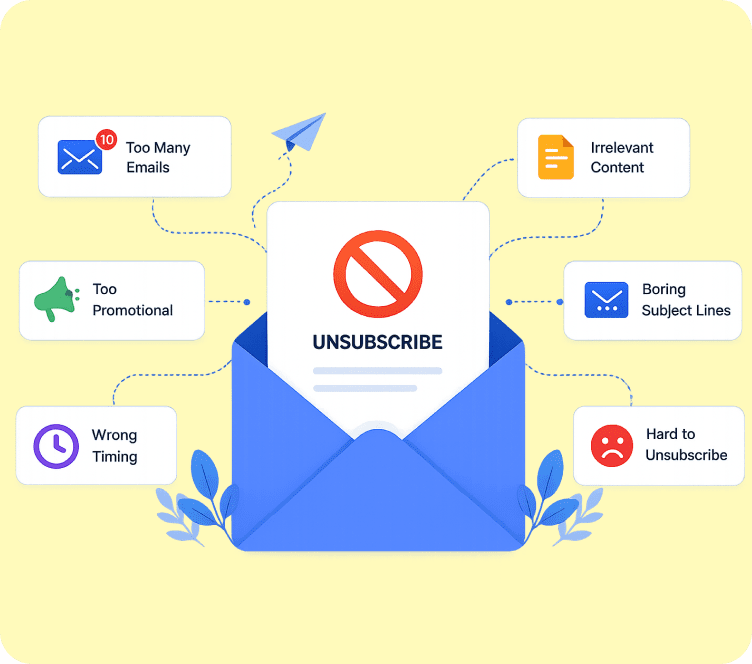
- Lower unsubscribe and complaint rates. People do not leave lists because they get email. They leave because they get email that has nothing to do with them.
- More revenue per email sent. A segmented cart recovery email consistently outperforms a generic newsletter, often by 3 to 5 times in click through rate.
- Longer customer lifetime value. Segmentation lets you talk to a first time buyer differently than a five time repeat customer, which keeps both groups engaged for longer.
For a Shopify or WooCommerce store, this is not a nice to have. Your store already has the purchase data, browsing data, and customer data needed to segment well. The only thing missing is a platform that uses that data properly, which is exactly where most general purpose email tools fall short.
At its core, good customer segmentation for ecommerce is really just email list segmentation applied to the exact data your store already collects: orders, cart activity, and browsing history, instead of guesswork.
Turn more visitors into paying customers, automatically
Set up abandoned cart recovery, welcome flows, and post-purchase emails in minutes, built specifically for Shopify and WooCommerce stores.
How it Works (Step by Step)
This follows a simple process, even though the criteria you use can get advanced over time.
Step 1: Collect the right data
Segmentation is only as good as the data behind it. For ecommerce stores, useful data includes:
- Purchase history (what, when, how much, how often)
- Browsing behavior (products viewed, categories visited)
- Cart activity (added to cart, abandoned, completed)
- Email engagement (opens, clicks, last active date)
- Signup source (popup, checkout, referral)
- Location and device
Most of this is already sitting inside your Shopify or WooCommerce store. The key is connecting it to your email platform so it updates automatically.
Step 2: Define Your Segmentation Criteria
Decide what groups actually matter to your business goals. A store focused on repeat purchases might prioritize purchase frequency. A store with a high cart abandonment rate might prioritize cart activity first.
Step 3: Build the segments
Inside your email platform, you create rules based on the criteria above. For example: “Customers who purchased in the last 30 days AND have not opened the last 3 emails.”
Step 4: Match content to each segment
This is where segmentation actually pays off. Each segment should get a message built around its specific behavior, not a slightly edited version of your main campaign.
Step 5: Review and refine
Segments are not set once and forgotten. Purchase behavior changes, engagement drops off, and new customers keep entering your list. Review your segments monthly and adjust the rules as your store grows.
Types of Email Marketing Segmentation
There is more than one way to build segments. Most ecommerce stores use a mix of the categories below, and together they form the backbone of solid customer segmentation for ecommerce.
Demographic Segmentation
Groups subscribers by age, gender, location, or income when that data is available. A skincare brand, for example, might segment by gender to send different product recommendations.
Behavioral Segmentation
Groups subscribers by what they do, such as pages visited, products viewed, or emails clicked. This is one of the strongest forms of email segmentation strategy because it reflects real intent, not assumptions.
Purchase History Segmentation
Groups customers by what and how often they buy. Common groups include first time buyers, repeat customers, high spenders, and customers who buy a specific product category.
Lifecycle Stage Segmentation
Groups subscribers by where they are in the customer journey: new subscriber, active customer, lapsed customer, or VIP. Each stage needs a different type of email. A brand new subscriber needs a welcome series, not a loyalty discount.
Engagement Level Segmentation
Groups subscribers by how actively they open and click your emails. Highly engaged subscribers can receive more frequent sends. Disengaged subscribers need a win back sequence or should be suppressed to protect deliverability.
Cart and Browse Abandonment Segmentation
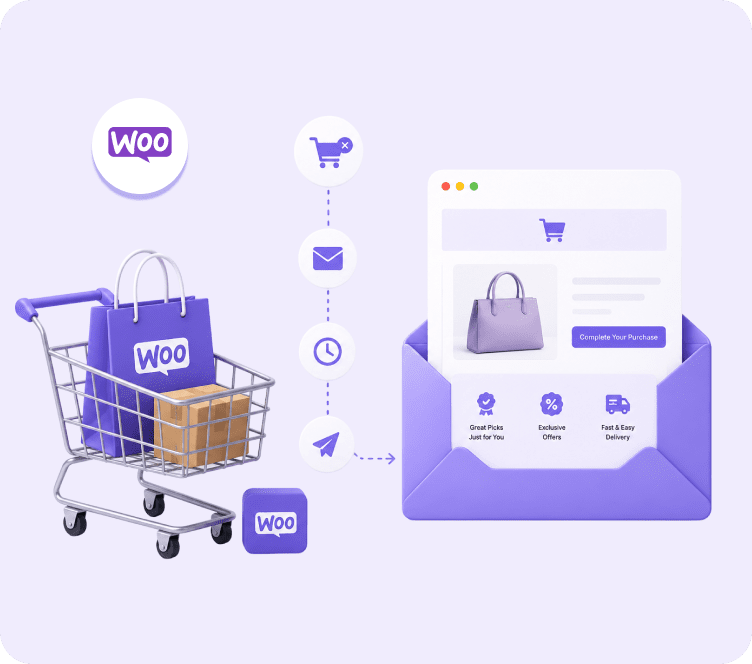
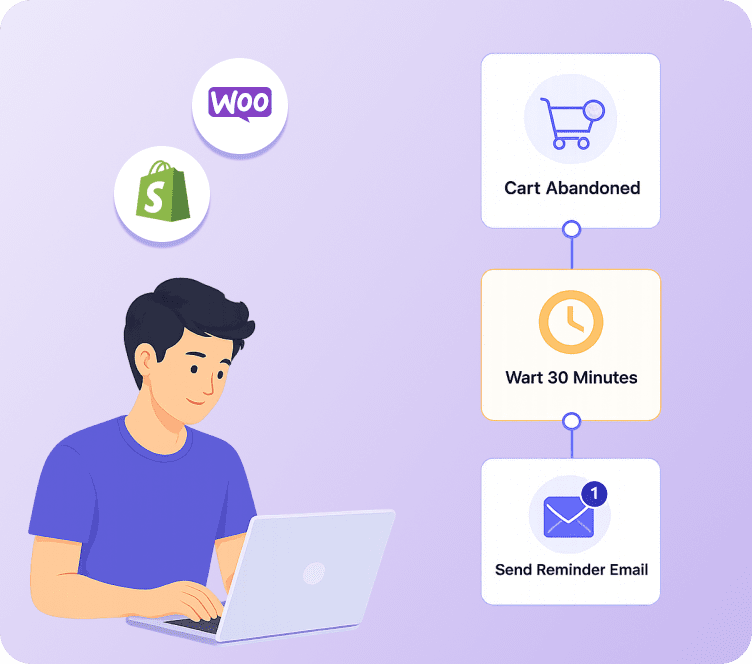
Groups shoppers who added a product to cart or viewed a product page but did not buy. This is one of the highest converting segments for any ecommerce store, and it is worth setting up abandoned cart recovery as one of your first automations, Shopify or WooCommerce alike.
| Segmentation Type | Based On | Best Use Case | Example Trigger |
|---|---|---|---|
| Demographic | Age, gender, location | Product targeting | New collection launch by gender |
| Behavioral | Site and email activity | Relevance and timing | Viewed product 3+ times |
| Purchase history | Orders, spend, frequency | Retention and upsell | VIP segment for top 10% spenders |
| Lifecycle stage | Journey position | Onboarding and win back | Welcome series for new signups |
| Engagement level | Opens and clicks | Deliverability protection | Suppress 90 day inactive contacts |
| Cart and browse | Cart and page activity | Revenue recovery | Abandoned cart after 1 hour |
Segmentation for Shopify Stores
Shopify stores have an advantage most businesses do not: every order, product view, and cart action is already tracked inside the platform. The work is connecting that data to your email tool.
Here is how Shopify email segmentation typically works in practice:
- Connect your Shopify store to your email marketing platform so customer and order data syncs automatically.
- Let the platform pull in purchase history, cart activity, and product data in real time.
- Build segments directly from that synced data, such as “purchased Product A but not Product B” or “cart value over $100, not converted.”
- Set up automated flows tied to each segment, like an abandoned cart series or a post purchase upsell.
- Review revenue per segment monthly, not just opens and clicks.
Adflipr connects to Shopify directly, so customer and order data syncs the moment it changes. Existing and new customers, past orders, and cart activity all flow into your contact list automatically, which means you can build a segment like “customers who bought in the last 60 days but have not returned” without manually exporting anything. This kind of native, real time sync is what separates real Shopify email segmentation from a spreadsheet you update once a month.
Segmentation for WooCommerce Stores
WooCommerce stores have the same opportunity, though the setup usually needs a plugin since WooCommerce runs on WordPress rather than a closed platform like Shopify.
For WooCommerce email segmentation, the process looks like this:
- Install an email marketing plugin that connects to your WooCommerce store.
- Sync customer, order, and transaction data so it updates as new orders come in.
- Segment customers by order value, product category, or purchase frequency.
- Automate flows for cart abandonment, post purchase follow up, and win back campaigns.
- Use transactional data (order confirmations, shipping updates) alongside marketing emails to protect deliverability.
Adflipr’s WooCommerce integration syncs transaction data directly into your contact list, so you can segment customers by sales, product category, or order recency without pulling reports manually. Since WooCommerce stores often deal with larger, mixed engagement lists, segmenting early keeps your sender reputation clean as your list grows. Getting WooCommerce email segmentation right from day one saves you from cleaning up a messy, unsegmented list later.
Turn more visitors into paying customers, automatically
Set up abandoned cart recovery, welcome flows, and post-purchase emails in minutes, built specifically for Shopify and WooCommerce stores.
How Adflipr Helps With Email Marketing Segmentation
Most general email tools treat segmentation as an extra step you build manually, list by list. Adflipr is built the other way around: segmentation sits on top of your live store data from the moment you connect your account, so the groups update themselves as customers act.
Real-Time Store Data, No Manual Uploads
Once you connect Shopify or WooCommerce, Adflipr pulls in customer profiles, order history, and cart activity automatically into your contact management dashboard. New customers, repeat orders, and abandoned carts sync as they happen, so a segment like “bought twice in the last 60 days” stays accurate without anyone touching a spreadsheet.
Ready-Made Segments for the Journeys That Matter Most
Instead of building every rule from scratch, Adflipr comes with pre-built segment logic for the groups that drive the most revenue: cart abandoners, first time buyers, repeat customers, and inactive contacts. You can launch a working email marketing segmentation setup in an afternoon instead of a month.
Automation Tied Directly to Each Segment
Segments in Adflipr connect straight into automated flows. A cart abandonment segment can trigger a three email recovery series. A first purchase segment can trigger a post-purchase upsell. There is no separate step to link a segment to a campaign, the workflow is built around the segment from the start.
Revenue Reporting by Segment, Not Just by Campaign
Adflipr’s analytics and reporting show revenue, opens, and clicks broken down by segment, so you can see which groups are actually worth the send instead of only looking at blended campaign numbers. That makes it easier to double down on the segments that convert and scale back the ones that do not.
Active Contact Billing Instead of Full List Billing
Many platforms charge based on your entire contact count, including subscribers you have already suppressed for being inactive. Adflipr’s active contact billing means a well segmented list, one where you are properly separating engaged customers from cold ones, does not quietly cost you more as it grows. This is one of the clearest ways Adflipr rewards good email list segmentation instead of penalizing it.
Real Examples of Email Marketing Segmentation That Drive Revenue
Theory is useful, but ecommerce owners want to see what this looks like with real numbers attached. Here are a few email segmentation examples pulled from real store scenarios, each built around a single, clear segment.
Abandoned Cart Segment
A mid sized Shopify apparel store built a segment for shoppers who added a product to cart but did not check out within one hour. A three email series recovered carts worth $8,450 in the first 30 days, without touching the rest of the list.
VIP Repeat Buyer Segment
A WooCommerce home goods store segmented its top 15% of spenders and sent them early access to a new collection. That segment alone generated more revenue than a full list blast sent the week before, despite being a fraction of the size.
Win Back Segment
A skincare brand isolated subscribers who had not opened an email in 90 days. Instead of dropping them, the brand sent a short “we miss you” offer. About 8% reactivated and placed an order within two weeks, and the rest were suppressed to protect deliverability for the engaged list.
Browse Abandonment Segment
An electronics store segmented shoppers who viewed a product page three or more times without buying. A single follow up email with a limited time offer converted at nearly double the rate of the store’s standard promotional emails.
These email segmentation examples share one thing in common. None of them required a bigger list. They required a smarter email segmentation strategy applied to the list the store already had.
Best Practices for Email Marketing Segmentation
- Start with two or three segments, not twenty. Cart abandoners, new subscribers, and repeat buyers cover most of the revenue opportunity for a new program.
- Use real behavior, not assumptions. Purchase and browsing data beats guessing at demographics every time.
- Keep segments updated automatically. Static, manually updated lists go stale fast. Sync data in real time whenever possible.
- Match send frequency to engagement. Your most active segment can handle more emails than your least active one.
- Test one variable at a time. When comparing segments, change one thing, like subject line or offer, so you know what actually moved the result.
- Review segment performance, not just campaign performance. Look at revenue per segment monthly to see which groups are worth more attention.
Common Mistakes to Avoid
- Over segmenting too early. Building 15 tiny segments before you have enough list volume just adds complexity without adding revenue.
- Ignoring inactive subscribers. Continuing to email disengaged contacts hurts deliverability for your entire list, not just that segment.
- Segmenting without connecting store data. A segmentation strategy without real purchase and behavior data is really just guesswork with extra steps.
- Treating segmentation as a one time setup. Customer behavior changes. Segments built a year ago rarely still match how your customers act today.
- Sending the same offer to every segment. If a VIP segment and a new subscriber segment get the same discount, you are not really segmenting, you are just organizing.
- Choosing a platform that charges for your full list instead of active contacts. This quietly punishes stores for having a healthy, well segmented list, since inactive contacts still count toward the bill on many platforms.
Turn more visitors into paying customers, automatically
Set up abandoned cart recovery, welcome flows, and post-purchase emails in minutes, built specifically for Shopify and WooCommerce stores.
Conclusion
It is not an advanced tactic reserved for big brands. It is one of the simplest ways any Shopify or WooCommerce store can turn an existing list into more revenue, without spending a cent more on ads or traffic.
Start small. Build a cart abandonment segment, a new subscriber welcome series, and a repeat buyer segment first. Connect your store data so those segments update automatically, then expand from there as you learn what your customers respond to.
If you are looking for a platform built specifically for this, Adflipr connects directly to Shopify and WooCommerce, syncs order and customer data in real time, and bills based on active contacts rather than your full list size. That makes it easier to run a proper email marketing segmentation strategy without your costs growing faster than your results. For a broader look at getting started, see our full Shopify email marketing guide.
Frequently Asked Question
What is email marketing segmentation?
Email marketing segmentation is the practice of dividing your email subscriber list into smaller groups based on shared traits like purchase history, browsing behavior, or engagement level. Instead of sending one email to everyone, you send tailored messages to each group. For ecommerce stores, this usually means grouping customers by what they bought, how often they buy, and how engaged they are with past emails.
How does it work?
It works by collecting data from your store and email activity, then grouping subscribers based on rules like “purchased in the last 30 days” or “abandoned a cart this week.” Once segments are built, you send each group content built around its specific behavior. For Shopify and WooCommerce stores, this data usually syncs automatically once the store is connected to an email platform.
Why segmentation is important for ecommerce stores?
It is important because generic emails perform worse every year as inboxes get more crowded. Segmentation improves open rates, click rates, and deliverability while lowering unsubscribes. It also directly increases revenue, since targeted emails like cart recovery and repeat purchase offers convert far better than a one size fits all newsletter.
What are the benefits of email marketing segmentation?
The main benefits are higher engagement, better deliverability, lower unsubscribe rates, and more revenue per email sent. It also protects your sender reputation, since inbox providers track how subscribers interact with your emails and reward relevant, targeted sending over mass blasts.
Is email marketing segmentation worth it for Shopify stores?
Yes. Shopify stores already track purchase history, cart activity, and browsing behavior automatically. Connecting that data to an email platform makes segmentation fast to set up and highly effective, especially for cart recovery and repeat purchase campaigns, which are usually the highest converting segments for any Shopify store.
Is email marketing segmentation useful for WooCommerce stores?
Yes. WooCommerce stores can segment customers by order value, product category, and purchase frequency once a plugin connects store data to an email platform. This is especially useful for WooCommerce stores with larger, mixed engagement lists, since segmentation helps protect deliverability while increasing revenue from existing customers.
What is the difference between email segmentation and personalization?
Segmentation decides who receives an email by grouping subscribers with shared traits. Personalization changes the content inside that email, like a first name or a product recommendation. They work together, but segmentation has to come first since it defines the audience personalization is built for.