
Somewhere on your WooCommerce store right now, a customer is filling their cart. They pick a product, maybe two, get to the checkout page… and then just stop. No error, no complaint. They simply leave. Multiply that by every visitor you get in a week, and you are sitting on a pile of near-sales that never became real sales.
Here is the part most store owners never realize: that money is not gone. It is just waiting for the right email to bring it back.
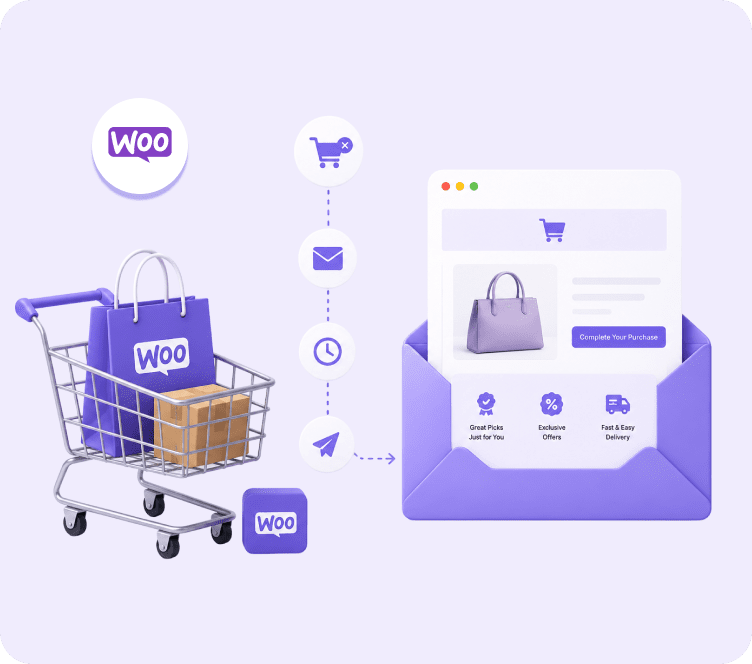
This is exactly why email marketing for WooCommerce has become such a big deal. Stores want to grow without pouring more money into ads. It sits inside a bigger category called ecommerce email marketing, but WooCommerce stores have their own quirks. A one-size-fits-all approach falls flat here. WooCommerce is great at running a store, but it was never built to do marketing on its own. Out of the box, it will not chase down an abandoned cart. It will not remind a customer to buy again, or turn a one-time buyer into a regular one. You need the right email plan and the right tool to make that happen.
In this guide, we will show you exactly what this looks like in practice. We will cover how it works behind the scenes, which features actually bring in more sales, and where most tools fall short for WooCommerce store owners. We will also look at how a platform like Adflipr helps close those gaps.
What Is Email Marketing for WooCommerce?
It means using automatic and manual emails, connected directly to your WooCommerce store, to bring back lost sales, keep customers interested, and get them to buy again.
Unlike normal email marketing, this connects directly to your store’s orders, products, customer details, and cart activity. That connection is what lets an email say “you left this exact product in your cart” instead of a plain “come back and shop with us.”
How Email Marketing for WooCommerce Is Different From Regular Email Marketing
A regular newsletter tool just sends emails to a list. It does not know what someone bought, what they almost bought, or how much they have spent with you. WooCommerce email marketing tools use your store data instead. They see order history, product views, cart status, and total spend. Then they use all of that to send the right email at the right time.
That difference is the whole reason ecommerce email marketing, and WooCommerce email marketing specifically, gets much better results than a plain newsletter ever could.
Why Email Marketing Matters So Much for WooCommerce Stores
Email is still one of the best channels for return on money spent, for any online store, and WooCommerce is no different. A few reasons this channel matters more than most owners think:
- You already own your list. You are not borrowing attention from an app or a search engine.
- Cart abandonment on online stores regularly goes above 70 percent, and email is the fastest way to win those sales back.
- People who already bought from you are far more likely to buy again than a brand new visitor, and email is the cheapest way to reach them.
- Every email you send from your own list costs a tiny fraction of what a paid ad click costs.
A Simple Example With Numbers
Say your WooCommerce store gets 3,000 visitors a month, and 200 of them add a product to cart but never check out. If a well-timed abandoned cart series brings back even 10 percent of those, that is 20 extra orders a month, from people who were already interested. For most stores, that alone pays for the tool many times over.
How WooCommerce Email Marketing Actually Works
In simple terms, WooCommerce email marketing works through a plugin or connection that links your WooCommerce store to an email tool. Here is how it usually goes:
- Connect – You install a plugin or use a key to link WooCommerce with your email tool.
- Data comes in – Customer details, order history, product list, and cart activity flow into the tool right away.
- Grouping – Customers get grouped by behavior, such as first-time buyers, repeat buyers, or big spenders.
- Automatic emails – Actions like “cart left behind,” “order placed,” or “product viewed” set off ready-made email series.
- Sending and tracking – Emails go out on their own, and you can see opens, clicks, and sales for each campaign.
What Information Actually Gets Shared
Most good connections pull in order status, product names and pictures, customer tags, total spend, and what people are browsing on your store. This is what lets an email show the exact product someone was looking at, instead of a plain banner.
Must-Have Features in a WooCommerce Email Marketing Tool
Not every email tool is built for online stores, and that is where a lot of WooCommerce stores waste money. Here is what actually matters:
| Feature | Why It Matters for WooCommerce |
|---|---|
| Direct WooCommerce connection | Brings in orders, products, and customers on its own, no manual list uploads |
| Abandoned cart emails | Wins back people who left checkout without buying |
| Emails after purchase | Builds repeat sales and cuts down refund requests |
| Customer grouping | Groups buyers by behavior, spend, or product interest |
| Product suggestions in email | Adds the right products into emails based on what people viewed or bought |
| Sales reporting | Shows exactly how much money each campaign or series brought in |
| Pricing based on active contacts | Keeps costs fair as your list grows, even with inactive subscribers |
A tool that only offers basic newsletters and simple templates, without a real connection to your store, will always fall short for an online store.
WooCommerce Abandoned Cart Emails: Your Fastest Path to Recovered Revenue
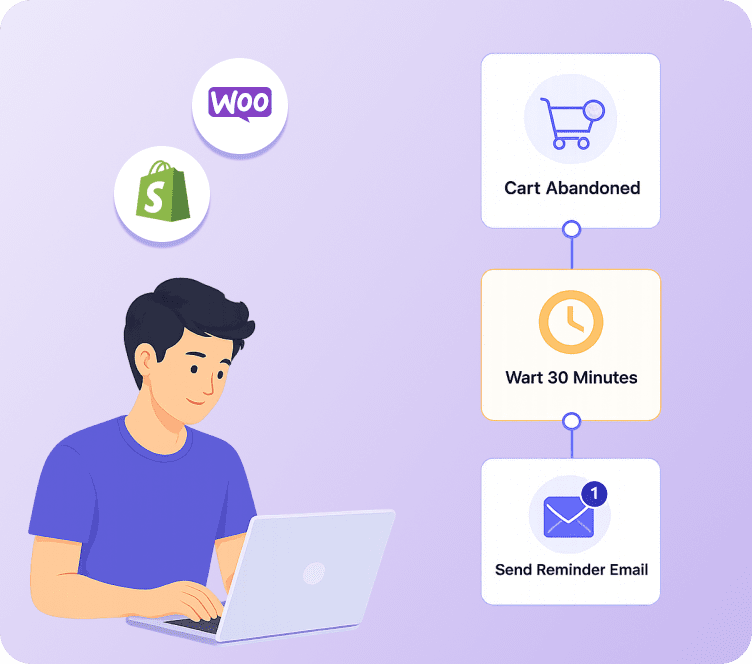
If you only set up one automatic email in your WooCommerce store, make it this one. WooCommerce abandoned cart emails almost always get the best results out of any automatic email, because they go to people who already showed they wanted to buy.
A strong abandoned cart series usually looks like this:
- Email 1 (1 hour after they leave): A simple reminder showing the exact product left in the cart.
- Email 2 (24 hours later): Add a review or star rating to build trust.
- Email 3 (48 to 72 hours later): Offer a small reward, such as free shipping or a short-term discount, to push the sale through.
Why WooCommerce Needs a Dedicated Tool for This
WordPress does not track abandoned checkouts on its own. That tracking depends fully on whatever plugin or connection you use. This is exactly why picking a tool with real WooCommerce cart tracking matters so much. Without it, you have no way of knowing who left a cart or what they left behind, and the emails never go out at all. See our full guide on WooCommerce Abandoned Cart Recovery for a closer look at how the tracking and email timing works.
WooCommerce Follow-Up Emails That Build Repeat Customers
Getting the first sale is only half the job. WooCommerce follow-up emails are what turn a one-time buyer into someone who buys again, and this is where most stores leave money on the table.
A simple but effective follow-up plan includes:
- Order confirmation with a warm, friendly tone, not just a plain receipt.
- Shipping and delivery updates that keep customers informed instead of worried.
- A check-in email a few days after delivery, asking how the product is working out.
- A review request once they have had time to use the product.
- A refill or extra-item email, timed for when the customer is likely to need a refill or a related product.
Why This Plan Builds More Loyal Customers
Every one of these emails is a small moment that builds trust. A customer who feels looked after is far more likely to buy again, and repeat customers usually spend more per order than first-time buyers. This is one of the most overlooked parts of email marketing for online stores, since most guides focus heavily on getting new customers and barely mention keeping the ones you already have.
WooCommerce Customer Win-Back Campaigns: Turning Lapsed Buyers Back Into Sales
Every WooCommerce store has a group of customers who bought once, maybe twice, and then went quiet. They are not gone for good, they are just quiet for now. You already know their email, what they like, and what they have spent before. That makes them one of the easiest sources of extra sales you have. A win-back email plan is how you focus on that group. It brings them back before they forget your store, or start buying somewhere else.
How to Focus on the Right Customers for Win-Back
One size does not fit all here. Good targeting starts with grouping your list by real behavior, not guesswork:
- Recently quiet – customers who bought once but have not bought or opened an email in 60 to 90 days.
- Big spenders gone quiet – customers with a strong order history or high spend who have suddenly stopped. These deserve a more personal message, with fewer discounts.
- One-time buyers – customers who bought exactly once and never came back. They usually need a different message than someone who used to buy often.
- Quiet by product type – customers who bought a certain type of product and are likely due for a refill, upgrade, or matching item.
This kind of targeting is exactly what customer grouping is for. It is a big reason grouping belongs near the top of any WooCommerce email marketing setup, not as an afterthought.
A Simple Win-Back Plan That Works
- “We miss you” email – a friendly, no-discount check-in reminding them what they loved about your store, sent around day 60 to 90 of going quiet.
- New arrivals or best sellers email – show what is new since they last shopped, especially in the type of products they already bought.
- Reward email – a modest discount or free shipping offer, saved for this stage rather than the first message, so you are not teaching customers to expect a coupon right away.
- Final “last chance” email – a short, direct nudge before you send them fewer emails or move them into a lower-priority group.
Why Win-Back Directly Brings In More Sales
Getting a brand new customer almost always costs more than bringing back one who already trusts your store. A well-targeted win-back plan brings in sales from a list you already own, without spending anything extra on ads. For a mid-sized WooCommerce store, even bringing back a small share of a quiet customer list every month adds up. It becomes a steady, repeating source of sales, on top of whatever new customers you are already getting.
Adflipr builds win-back targeting right into its automation and grouping tools. Groups like “quiet for 60 days” or “big spender gone quiet” get created on their own from real WooCommerce order data. The win-back plan then runs by itself once it is set up. Learn more on the Marketing Automation and Customer Segmentation feature pages.
Best Email Marketing for WooCommerce: Comparing Your Options
There is no shortage of tools that claim to work with WooCommerce, and most searches for the best email marketing for WooCommerce turn up lists ranked by feature count alone. Here is how the main types actually compare.
| Tool Type | Best For | Where It Falls Short |
|---|---|---|
| WordPress-built plugins (e.g. MailPoet) | Simple stores wanting everything inside WordPress | Limited automation, weaker grouping as you grow |
| General email tools (e.g. Mailchimp, Brevo, GetResponse) | Small lists, basic newsletters | Not built for online stores first, weaker WooCommerce triggers |
| Store-first platforms (e.g. Klaviyo, Omnisend) | Deep grouping and automatic emails | Price rises fast as your list grows, can get expensive quickly |
| Full sales-team tools (e.g. HubSpot, ActiveCampaign) | Sales and marketing teams needing a full system | Too much and too costly for a store that just needs strong store emails |
| Store-focused platforms built for WooCommerce (e.g. Adflipr) | Stores wanting store automation without extra complexity or high per-contact cost | Newer to the market compared to older, bigger names |
Most comparison guides you will find rank tools by how many features they list. What actually matters for a WooCommerce store owner is simpler: does it pull in your store data cleanly, does it send abandoned cart and follow-up emails out of the box, and does the price stay fair as your list grows.
What Most Tools Get Wrong (And Where Adflipr Fits In)
Here is what tends to get missed across most WooCommerce email marketing guides and tools:
- Thin WooCommerce examples. Many platforms write about online stores in general without ever touching the real WooCommerce setup, plugins, or dashboard.
- Pricing based on total contacts, not active ones. This punishes stores with a large but partly quiet list, even though those quiet contacts are not opening or clicking anything.
- Automatic emails that stop at abandoned cart. Follow-up, win-back, and refill emails often get far less attention, even though they bring in real repeat sales.
- Weak reporting. Most tools show opens and clicks but stop short of tying emails directly to real WooCommerce sales.
- Hard setup for smaller teams. Some store-first tools are powerful but genuinely hard to set up without technical help.
How Adflipr Closes These Gaps
Adflipr is built as a store-focused email marketing and marketing automation platform for WooCommerce stores, and it closes these gaps directly.
Direct WooCommerce connection. Orders, products, customer details, and cart activity flow in on their own, so your emails are built on real store data from day one. See how the WooCommerce integration works.
Pricing based on active contacts. You pay for contacts who actually engage, not your whole list size. This alone can cut costs a lot for stores with a large but partly quiet list. Full details are on the Adflipr Pricing page.
Smarter automatic emails beyond abandoned cart. Along with cart recovery, Adflipr lets you build automatic email plans with simple rules. A customer can be sent down a different path based on what they bought, how much they spent, or whether they opened a past email. This includes:
- Step-by-step emails after purchase, with different paths for first-time buyers and repeat buyers
- Win-back emails set off by how long someone has been quiet, not just a fixed date
- Refill emails timed to when people usually run out and reorder
- Emails for people who looked at a product but never added it to cart
Explore the full Marketing Automation feature set for a closer look at the automation builder and what can trigger an email.
Customer grouping. Groups build on their own from purchase history, total spend, order frequency, and product type. You are never stuck tagging customers one by one. More on this on the Customer Segmentation feature page.
Sales reporting built around WooCommerce data. This is one of the most overlooked parts of the puzzle, and it deserves its own section below.
The goal is not to replace your plan with software. It is to remove the setup work, so a store owner can actually run the abandoned cart, follow-up, and win-back emails that make email marketing worth doing in the first place.
Why Revenue and Analytics Matter So Much in WooCommerce Email Marketing
Open rates and click rates tell you if people are looking at an email. They do not tell you if that email actually made you money. For a WooCommerce store, sales reporting needs to go much deeper than the surface-level numbers most email tools show by default.
Here is what real WooCommerce email reporting should cover:
- Sales per campaign and per email plan. Every abandoned cart series, welcome email, and win-back plan should show the real sales it brought in. This should tie back to real WooCommerce orders, not a rough guess.
- Recovered sales tracking. Just for cart recovery, you should see how many carts were won back, the total value won back, and which email in the series closed the sale.
- Customer-level reporting. How much each customer has spent over time, order count, and average order size by customer group. This shows you which groups deserve the most attention.
- Automatic email results over time. Trends across weeks or months, not just one campaign at a time. This lets you see if an email plan is getting better, staying flat, or falling off.
- Product-level insight. Which products get clicked and bought most often from email. This helps shape future campaigns and product suggestions.
Why This Matters More for WooCommerce Specifically
Since WooCommerce does not track this on its own, a store owner who only checks basic WordPress or plugin-level reports is often working in the dark. Without clear sales reporting, it is nearly impossible to know if your emails are paying for themselves. You cannot tell if your time and budget would be better spent elsewhere.
Adflipr’s Analytics and Reporting dashboard is built specifically to close this gap for WooCommerce stores. It connects every email, plan, and campaign back to real order data. You can see recovered sales, how each email plan is performing, and customer trends, all in one place, instead of piecing it together from separate plugins.
Best Practices for WooCommerce Email Marketing
- Send your first abandoned cart email within an hour. Speed matters more than most owners expect.
- Group your list before you automate. A new customer and a repeat buyer should never get the same plain email.
- Use real product pictures and names, not plain banners, inside every automatic email.
- Test subject lines often. Small wording changes can shift how many people open your email.
- Check your sales reports every month. Know which emails are actually bringing in orders, not just opens.
- Keep your list clean. Remove people who have been inactive for a long time so your emails keep landing in the inbox and open rates stay healthy.
Common Mistakes to Avoid
- Treating email like a newsletter only. One-off emails alone will never match what automatic emails bring in.
- Ignoring emails after purchase. Focusing only on getting new customers and abandoned carts misses a big chunk of repeat sales.
- Choosing a tool based on price alone. A cheap tool with a weak WooCommerce connection can cost you more in missed automatic emails than it saves in fees.
- Sending too many discounts too early. Teaching customers to wait for a coupon hurts your profit over time.
- Never testing send times or how often you email. What works for one store’s customers may not work for another.
Key Takeaways
Email marketing for WooCommerce is not just another marketing checkbox. It is one of the most direct ways to win back lost carts, keep customers coming back, and grow sales without spending more on ads. The stores that win with email go beyond basic newsletters. They use abandoned cart emails, follow-up emails, win-back emails, and real customer grouping built on their own store data.
If your current setup only handles one or two of these pieces, it is worth checking what your current tool is actually doing for you. A more store-focused platform like Adflipr could close those gaps without the big price tag.
FAQs
What is email marketing for WooCommerce?
It means using automatic and manual emails connected directly to your WooCommerce store. It uses order history, product list, and customer behavior to send the right emails. Think abandoned cart reminders and follow-ups after purchase, instead of plain newsletters sent to a fixed list.
How does WooCommerce email marketing work?
It works by bringing your WooCommerce store data into an email tool through a plugin or connection. This includes orders, products, and customer activity. This data sets off automatic emails such as cart recovery emails, order confirmations, and win-back emails, based on what customers actually do.
Why is email marketing important for WooCommerce stores?
WooCommerce does not come with built-in tools to win back abandoned carts or send follow-up emails on its own. Email marketing fills that gap by reaching people who already showed interest, at a much lower cost than paid ads. It is also one of the few channels where you fully own your list.
What are the benefits of WooCommerce email marketing?
The main benefits are winning back abandoned cart sales, getting more repeat purchases through follow-up emails, better customer grouping, and clear sales reporting. It is also far cheaper per order than most paid ways of getting new customers, once it is set up properly.
What mistakes should I avoid with WooCommerce email marketing?
Avoid treating email as newsletters only, and avoid ignoring follow-up and win-back emails. Do not pick a tool based purely on price without checking how well it works with WooCommerce. Also avoid giving too many discounts too early, since it can teach customers to always wait for a coupon.
Is WooCommerce email marketing worth it for small stores?
Yes. Even small WooCommerce stores see real results from simple automatic emails like abandoned cart reminders and order follow-ups. These reach people who already showed they wanted to buy. The setup cost is usually paid back within the first few recovered orders.
What is the best email marketing for WooCommerce stores?
The best option depends on your store size and needs. WordPress-built plugins work for very simple setups. Store-first platforms like Klaviyo suit bigger stores with bigger budgets. Platforms like Adflipr are built specifically for WooCommerce stores that want strong automatic emails, clear sales reporting, and pricing that stays fair as your list grows.
How does customer win-back help increase sales for WooCommerce stores?
Win-back emails target customers who bought before but have gone quiet, using groups like “quiet for 60 days” or “big spender gone quiet.” These customers already trust your store, so bringing back even a small share of them adds steady sales without extra ad spend. It is one of the cheapest ways to increase sales from a list you already own.